How to get an Editable & Printable Calendar with Cozi
handycalendars.com is an affiliate of cozi and may recieve a commission at no additional cost to you.
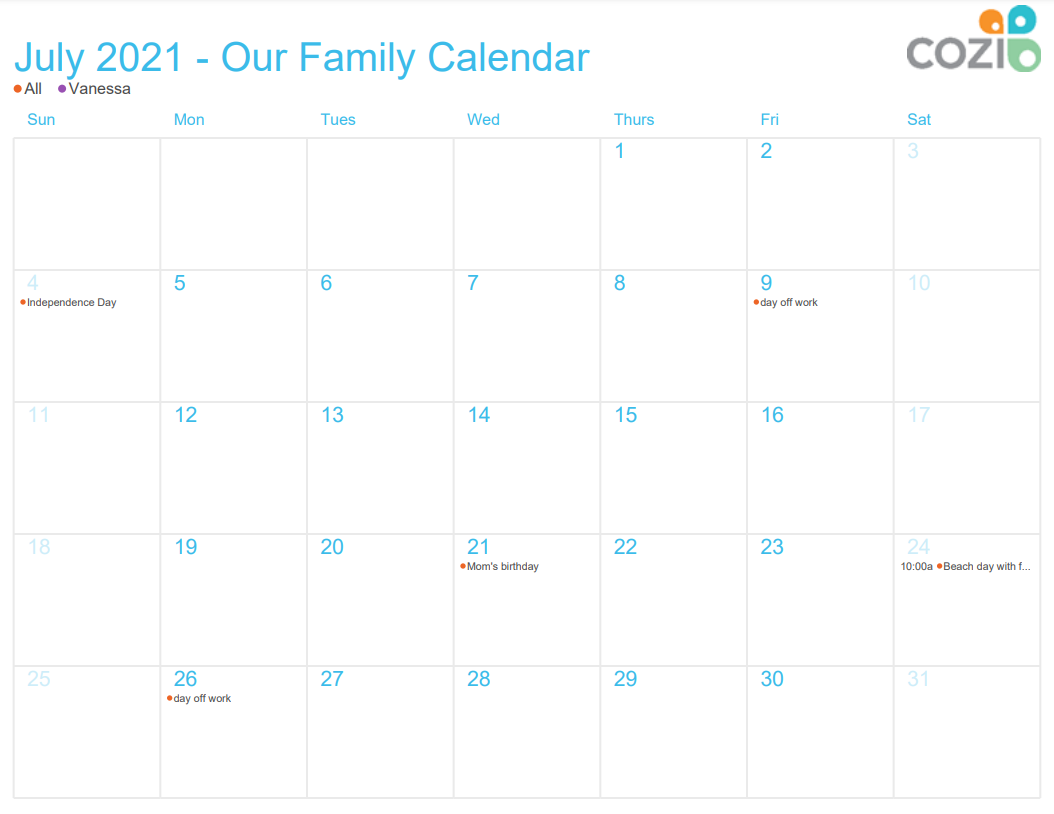
Follow the steps in this article for a calendar like the one below
You can always try one of my quick & simple blank printable calendars instead
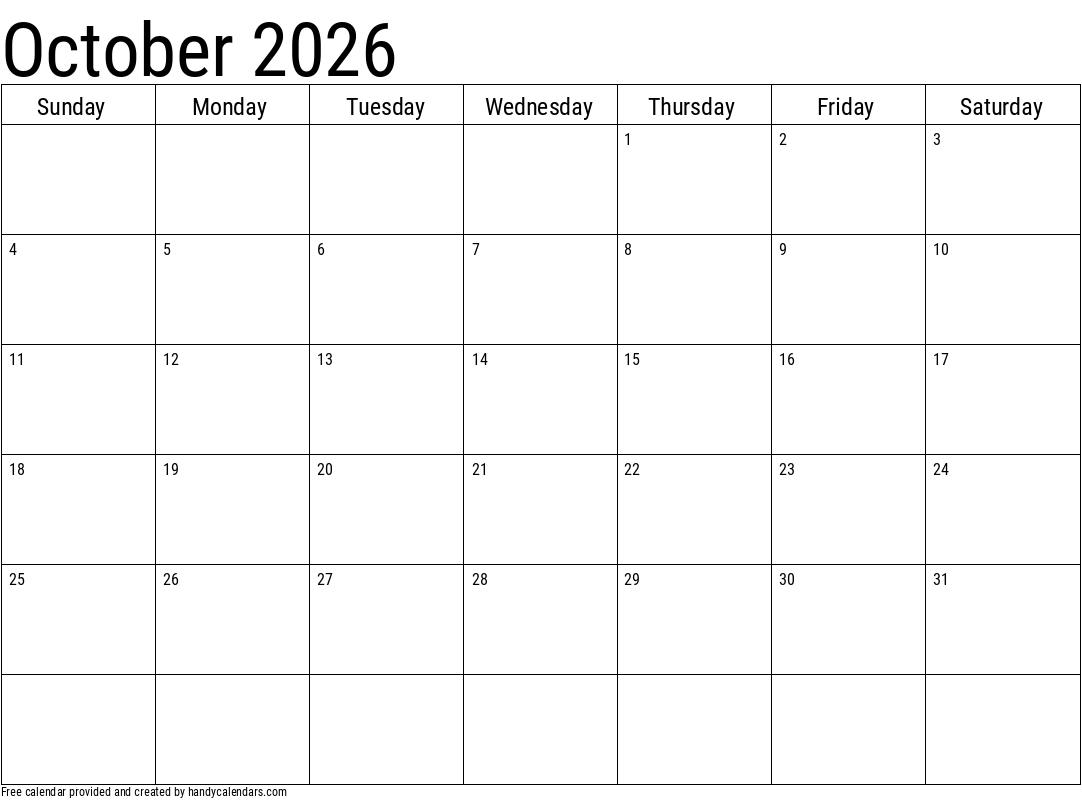
Cozi is the must-have organizer for families. It helps coordinate and communicate everyone’s schedules and activities, track grocery lists, manage to-do lists, plan ahead for dinner, and keep the family on the same page.
In this article, I will help get you started with Cozi and some of its features. (like editing and printing a calendar)
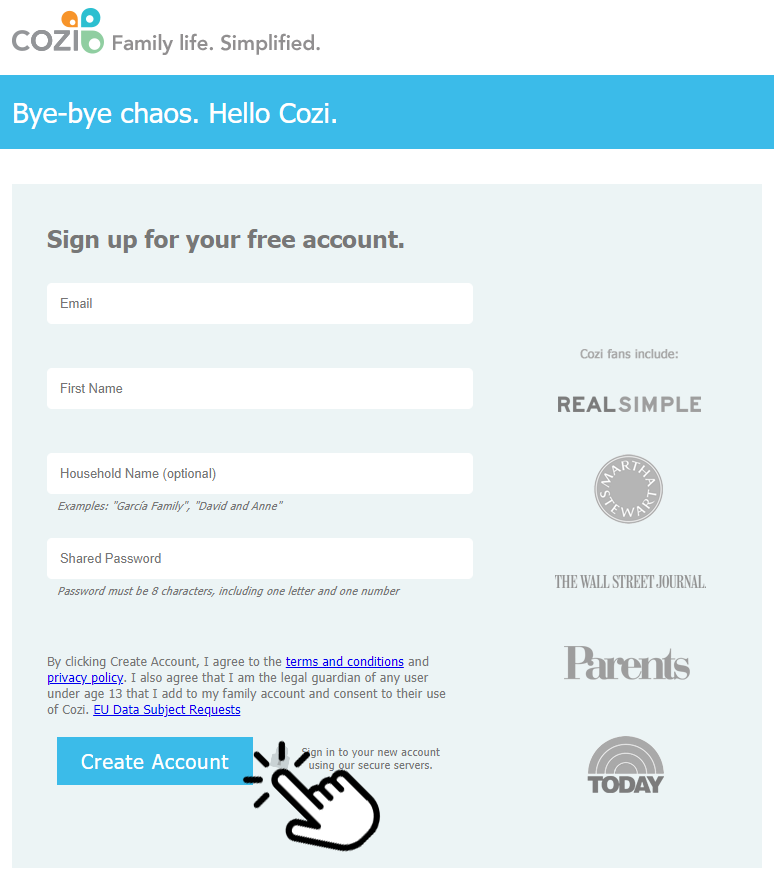
Step 1. Sign up for a free Cozi account
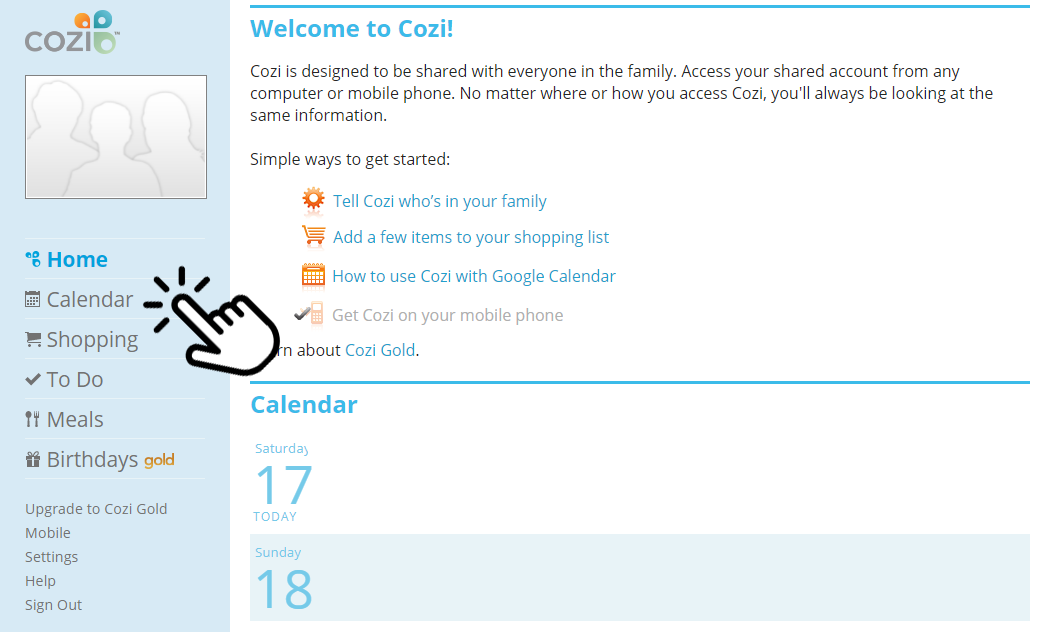
Step 2. Click on "Calendar" on the left hand side
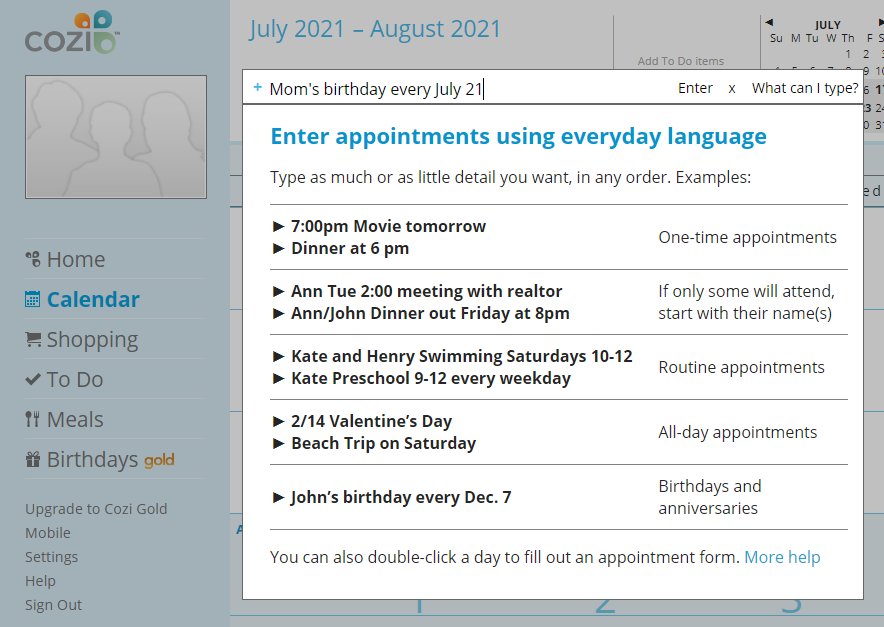
Step 3. Click on "+ Type to add an event" at the top
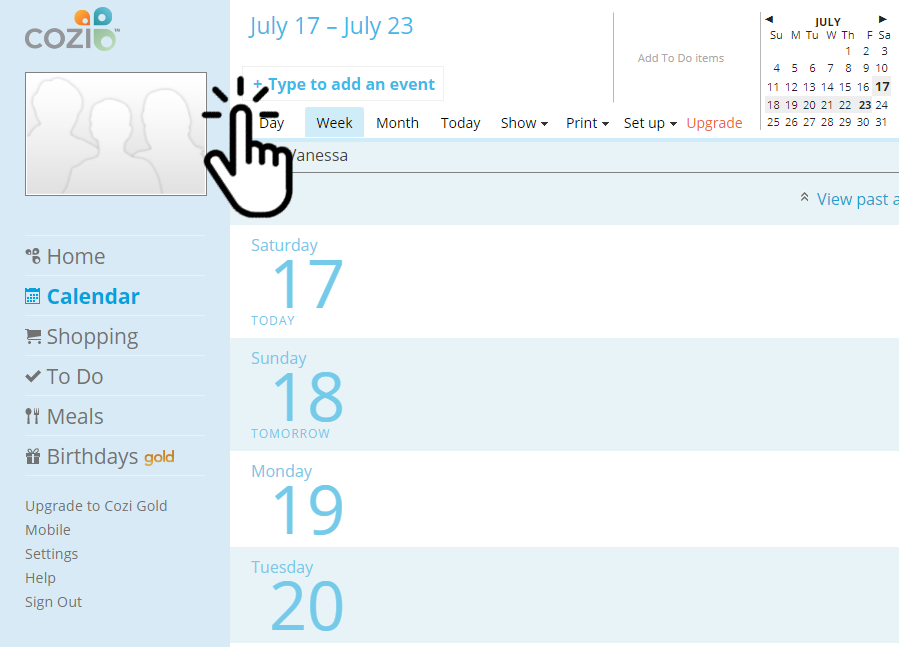
You can also just click on which ever day you would like to add an event to. You can view your calendar by day, week, or month. I prefer the month view.
When you're adding an event you can make it repeat daily, weekly, monthly or yearly etc here's an example for adding someone's birthday.
After you're done filling out your calendar you can easily print it at anytime.
Step 4. Click on "Print" at the top
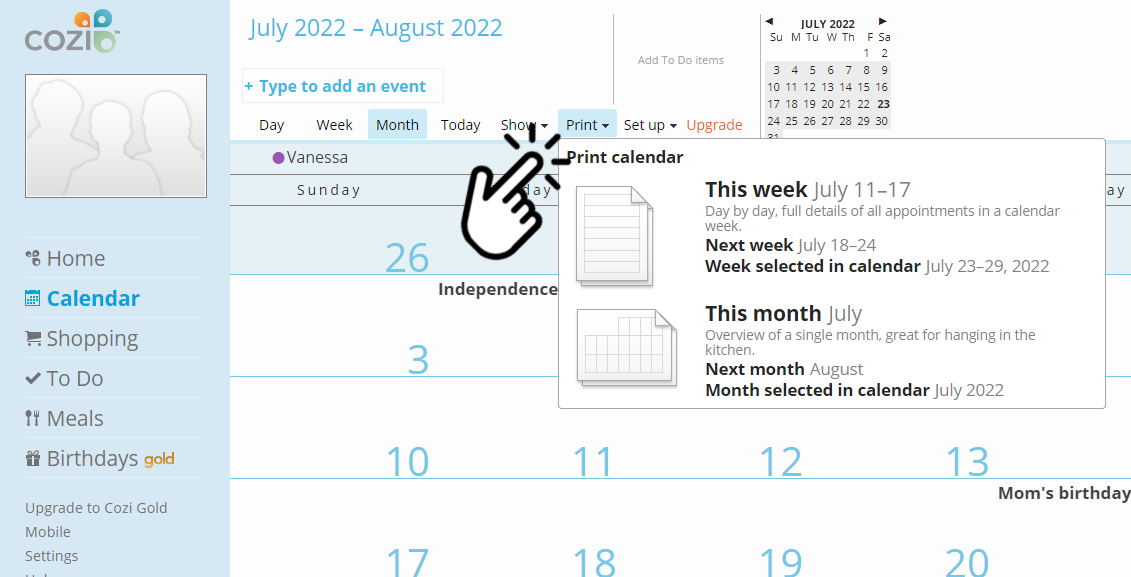
Select which calendar to print. I usually just go with the full month, but you could always print one week at a time.
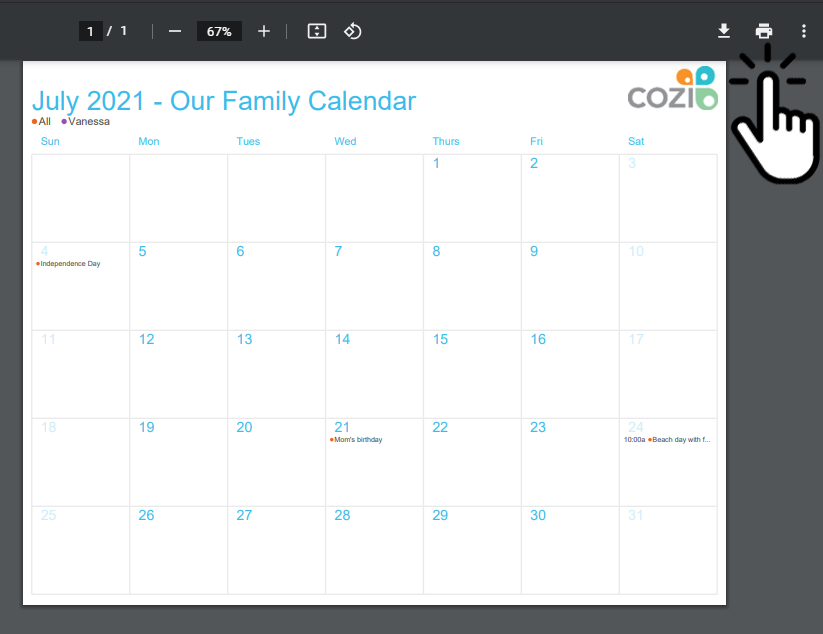
Step 5. Click on the printer icon at the top
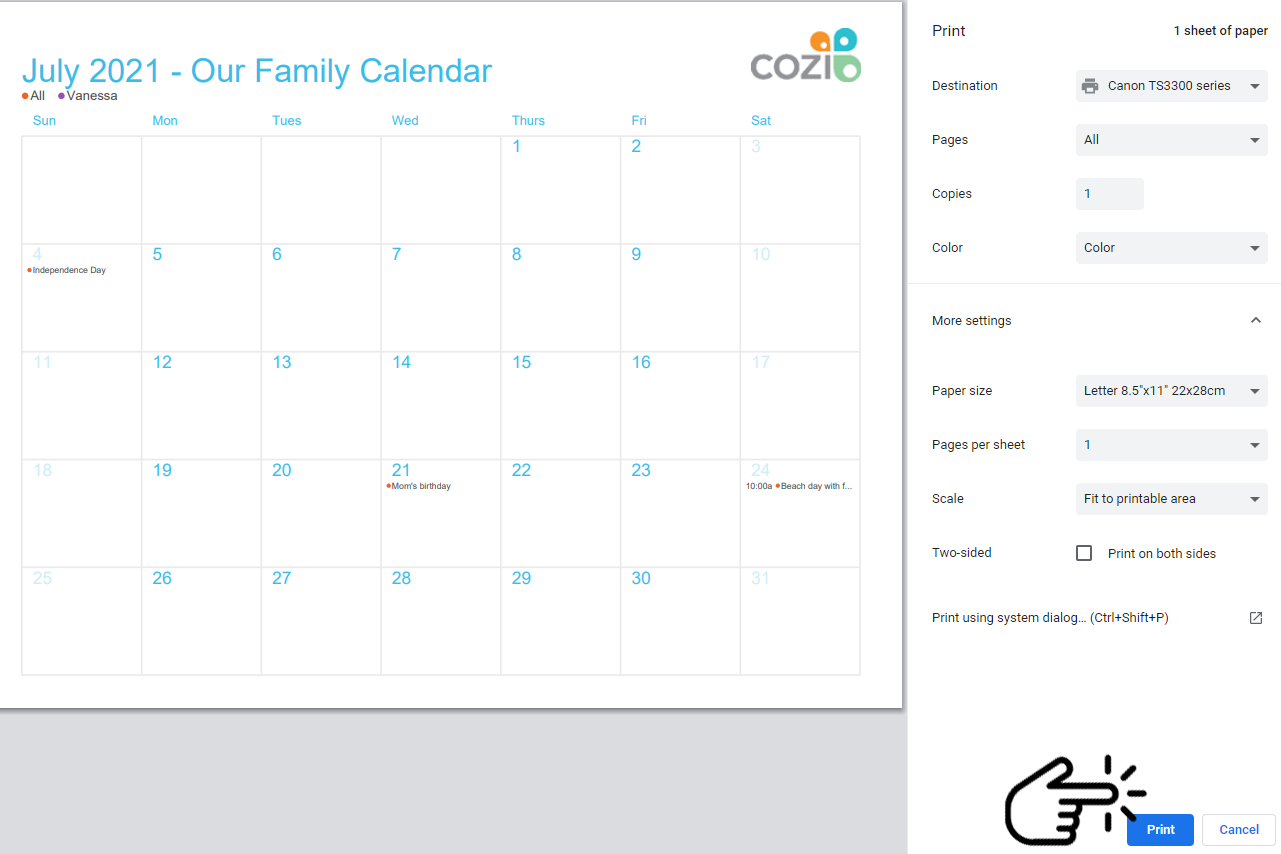
Step 6. Select your printer at the top right hand side & press "Print" at the bottom
Now you're able to fill and edit a calendar and print it. Your calendar will be saved on your Cozi account for you to make any changes as needed. You can also download the Cozi mobile app for iPhone or Android, just sign in with your Cozi account and you'll be able to access, edit, or change your calendar from anywhere.